Designing with AI: the machine does 90 percent, the work is in the other ten
I am doing a concept for a school media library. The brief from the client was “make it modern”, and they asked me to start with the wall holding the display. What follows is not about interiors but about method: what AI actually generates in this kind of work, what stays with the person, and where the machine confidently produces garbage you must not put in front of a client.
By volume the split is roughly this: AI produces about 90 percent of the material. All of the work is in the remaining ten percent, and it is not about styling.
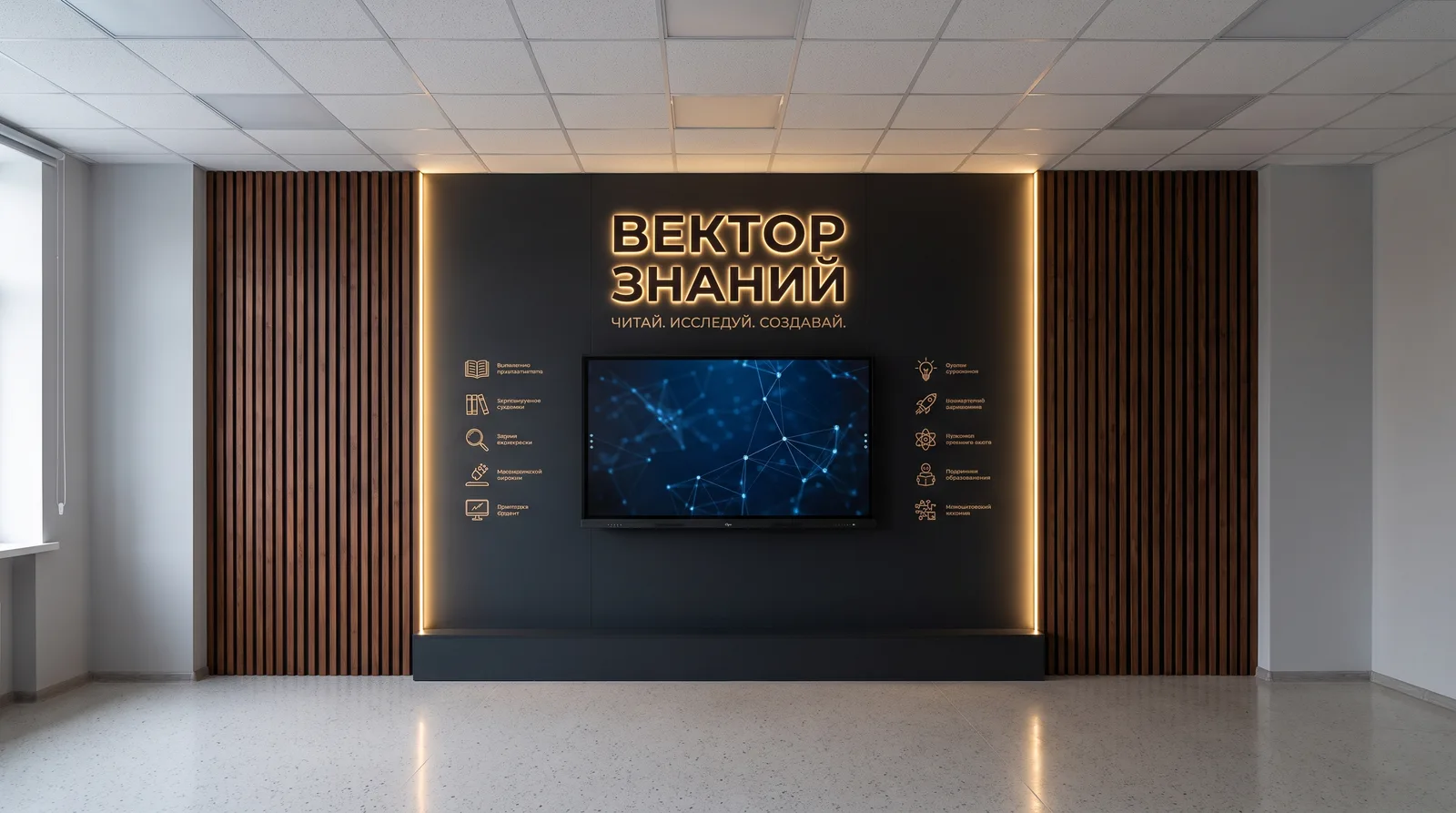
The longest part was agreeing on the task, not the design
The most useful thing I learned on this project happened before the first line appeared on screen.
“Make it modern” is not a specification. It is a feeling the client cannot put into words, because they have no vocabulary for it. The classic route is well known: several meetings, references pulled off the internet, an attempt to agree at the level of adjectives, and only then a first sketch that will probably turn out to be the wrong one.
AI does not change the quality of the picture here. It changes the economics of the conversation. Showing an option became cheaper than describing it. Instead of working out in words whether it should be warmer or cooler, lighter or darker, I show options and watch the reaction. The discussion stops being an argument about terms and becomes a choice between things you can see.
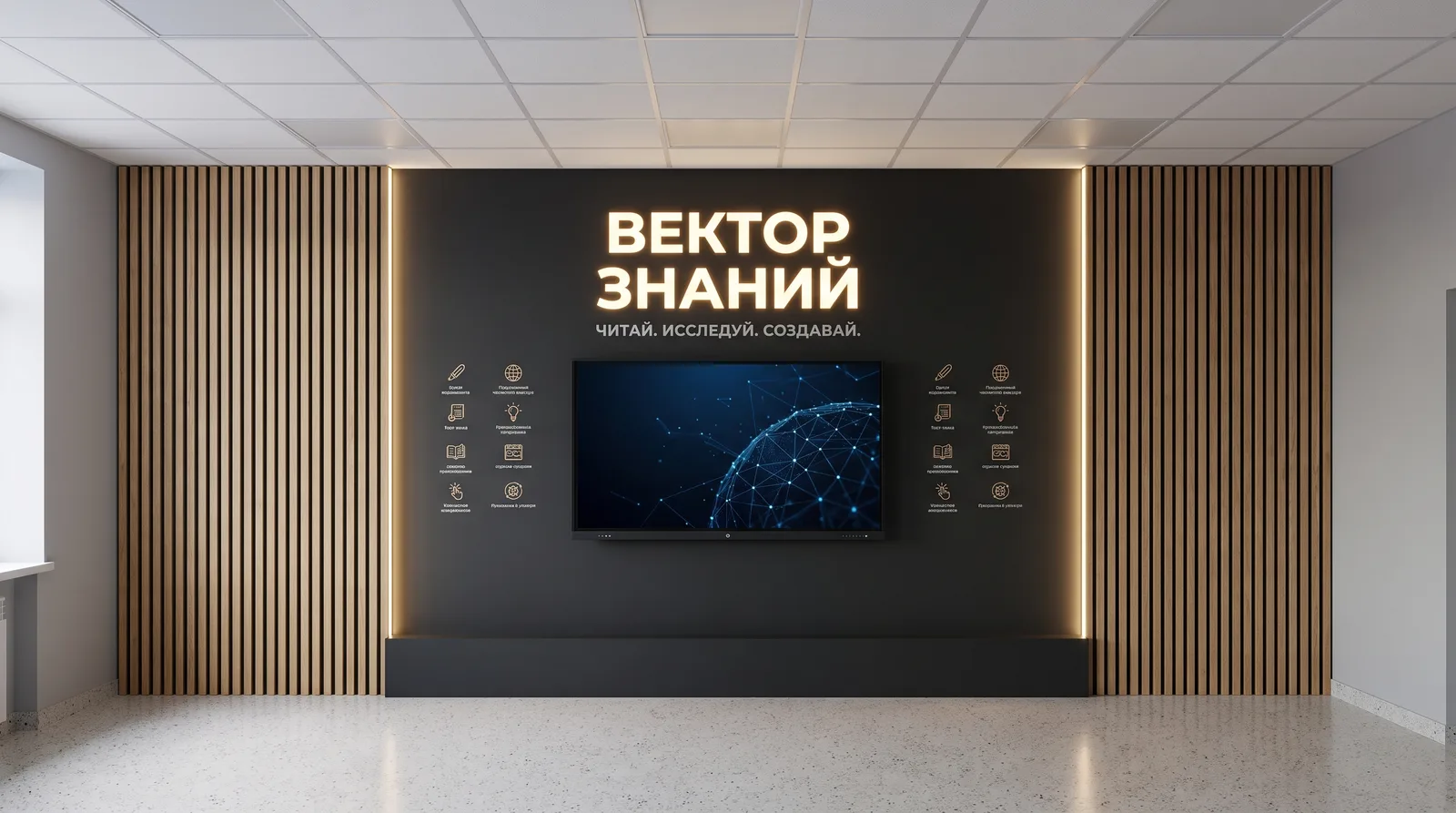
The outcome of that stage: the client picked the darker option. We got there by iterating, not by reasoning. And that is probably the most honest description of the benefit: AI did not invent the concept for me, it shortened the path to the moment the client finally saw what they wanted.
Three tools, three different jobs
Work like this does not happen in one tool, and that matters, because “I use AI” describes nothing.
Claude handles text and logic: discussing technical decisions, calculations, specifications, drafts of documents. This is what I argue with about how to mount the panel and how to run the cable trays, and it holds the context of the whole project rather than of a single question.
Higgsfield handles the visuals: concept images through which the client understands what we are even talking about. It is an instrument of conversation, not of engineering.
SketchUp handles anything that has to be exact. Geometry, dimensions, references. Everything that will end up in a real wall lives here, not in a generation.
The division is simple: AI where volume and speed are needed, SketchUp where precision is needed. Mixing those two zones is dangerous for exactly the reason below.
What actually gets generated
On the documentation side AI covers almost everything:
- material specifications;
- power and low-voltage wiring diagrams;
- lighting solutions;
- installation drawings.
Then my part starts, and it consists of three actions: discard the garbage, find what matters, take it to final form. This is not editing in the usual sense. Seven out of ten proposed solutions go in the bin, not because they are badly written, but because they will not survive contact with the actual room, the budget or the installer.
Hence the proportion. Ninety percent is volume. Ten percent is what people pay for.
The case where the machine was more useful than I expected
One task on this project stood out: lighting the text and the symbols to the left and right of the panel. It is an awkward spot, because the light works on legibility and on mood at the same time, and solutions that look good in a render are often unbuildable or expensive to install.
AI proposed three different approaches. Not three variations on one, but three fundamentally different ones. One of them I would not have considered on my own.
Which of the three went forward, and how it is built, I am not describing before it is installed. The project is live and the client is real, and the detail of that assembly is not mine to share yet.
What matters here is not the find itself but the mode of work: AI is most useful not when it writes for you, but when it widens the list of options you consider. A person working alone almost always takes the first route that comes to mind.
Where it breaks
Now the honest part, which is the reason this piece is worth reading.
On the wide render of the wall, the captions under the icons came out as unreadable garbage. Not typos, but pseudo-Cyrillic: strings that look like Russian from three metres away and are nothing at all up close. The composition reads convincingly. The text does not exist.
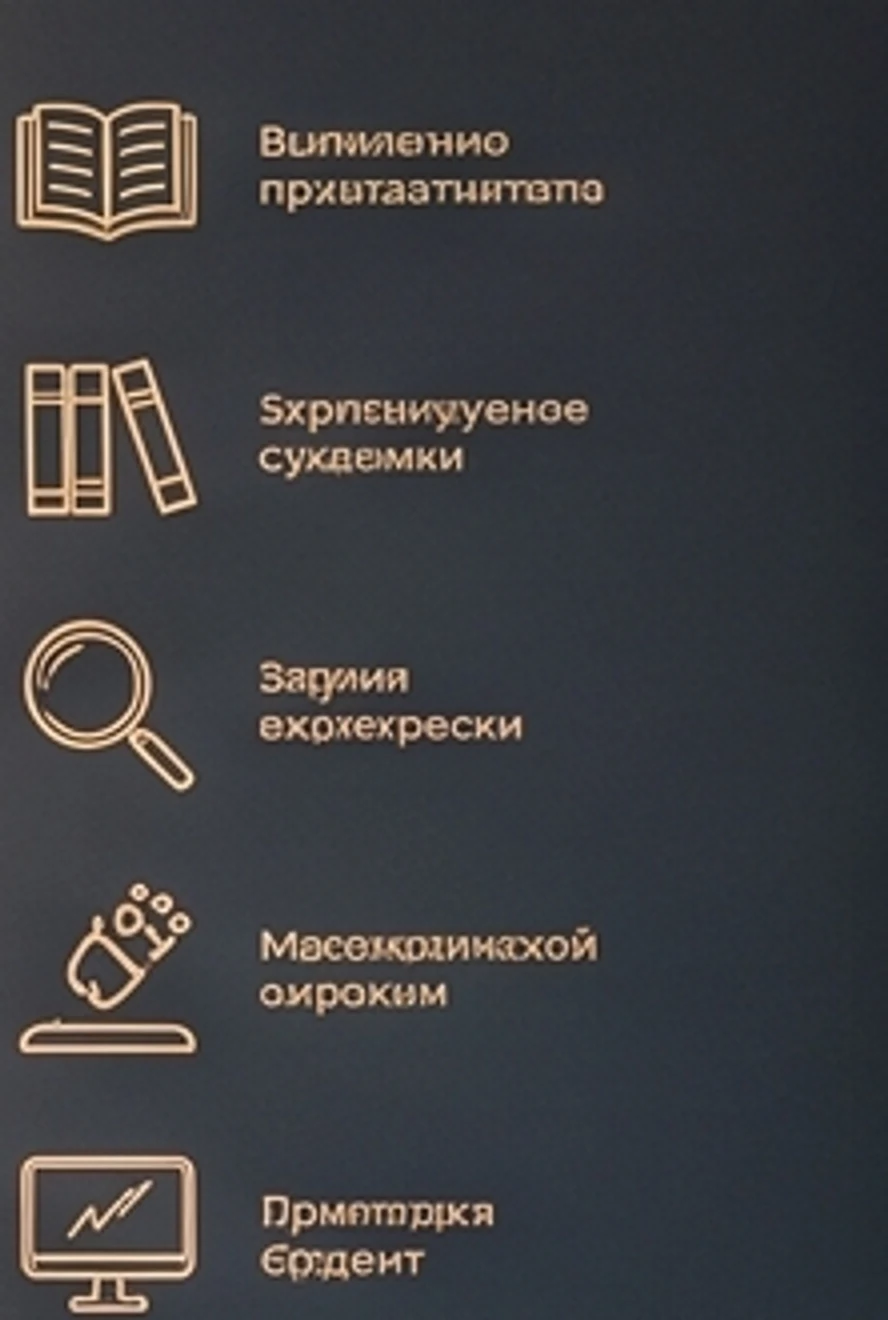
This is not a random glitch but a systemic property. The smaller and more specific the detail, the higher the chance you get a confident imitation of it instead. Large composition, light, material, proportion all come out well. Small text, exact captions, part numbers, ratings come out looking like the truth.
The practical conclusions I drew:
- No render goes to a client without being read at 100 percent zoom. You have to look at each caption on its own, not at the picture as a whole.
- All microtext gets rebuilt as real vector type. The generation gives you the composition, the text goes on top by hand.
- An error is more dangerous the more plausible it looks. Broken Cyrillic is obvious immediately. An invented part number in a specification is invisible until it reaches the budget.
The second point also forced a rethink of the caption set itself. Once you start writing them out by hand, you can see the list mixes different levels: “analytics and search” sits next to “physics and technology”, which are not the same kind of thing at all. A generation will never show you that, because to it they are identical grey lines.
What stays with the person
The short answer: responsibility.
A specification with an invented part number goes into the budget, and from the budget into procurement. An error in a low-voltage diagram goes into the wall, and comes out together with the wall. AI carries none of that. The signature on the drawing does.
So my ten percent do not look like creative work. They look like checking: verifying every rating, every line of the specification and every cable run against the reality of the room. Dull work, and it is the profession.
The same principle as in code
I build products on the same rule: AI writes the code, I own the product. The hypothesis, the data model, the security boundaries and the decisions stay with me.
This project showed the rule transfers outside software unchanged. The tools change, the division does not: the machine supplies volume and options, the person makes decisions and answers for the result.
The only difference is the cost of a mistake. Bad code can be rewritten in an evening. A bad low-voltage diagram gets cut out of a wall.
The project is at concept stage. The name of the space belongs to the client, and I will describe the technical detail of the assemblies after installation.